Welcome to JARVIS, the AI document redaction processor. At the time of publishing this version of his document, I was still developing Jarvis as a fully working product. The current version supports word documents and PDFs. With the development of Blazor Simple AI, I can also utilise the image analysis component to redact PII information from images..
If you would like to download a PDF of this post, you can download it here.
Jarvis is made up of the following technologies:
- Microsoft .NET Blazor (.NET 6.0 LTS release)
- Microsoft Azure Cognitive Services (Text Analytics Service)
- Microsoft Azure Cosmos DB (for maintaining document and redaction processor metadata)
- Azure Web App (hosting the JARVIS AI Web App)
- Azure Storage (source document upload and redaction storage)
- Microsoft Azure Function App (for APIs that process PII data and perform redaction processing)
- Radzen Blazor components (for an amazing UI experience)
A document named “IPAddressandNamesx10Pages.docx” contains the following information, repeated within 10 pages.
——————————————————————————————————————————-
The IP Address if the legacy system is 10.254.1.1.
The company that owns the legacy system is Microsoft.
The original founders of the company Microsoft are Bill Gates and Paul Allen.
——————————————————————————————————————————-
The document is uploaded to Jarvis, the AI Document redaction processor.
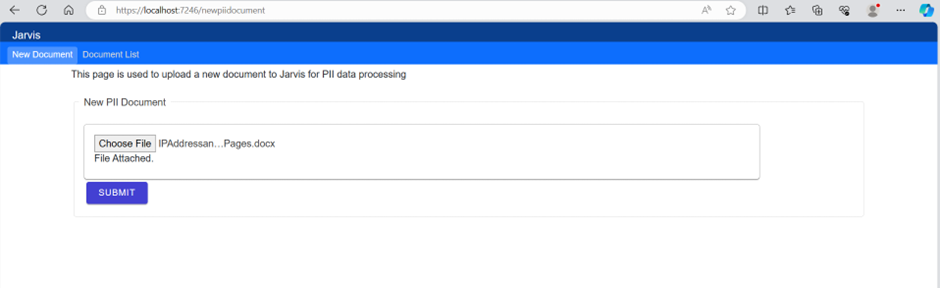
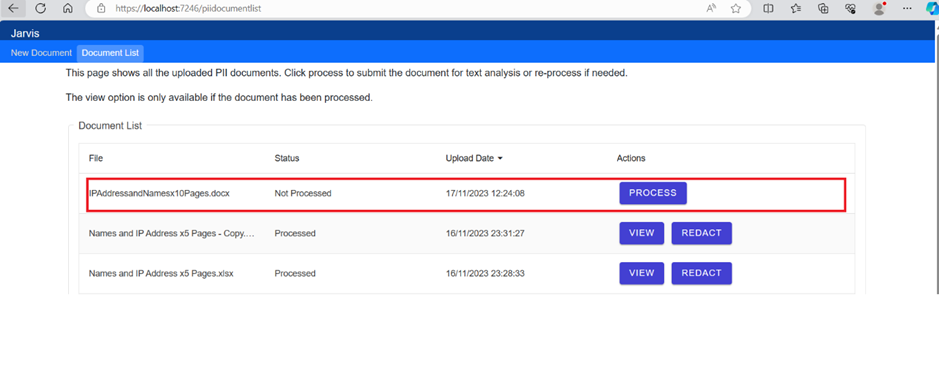
The user clicks “Process” to determine the PII and confidential data held in the document.
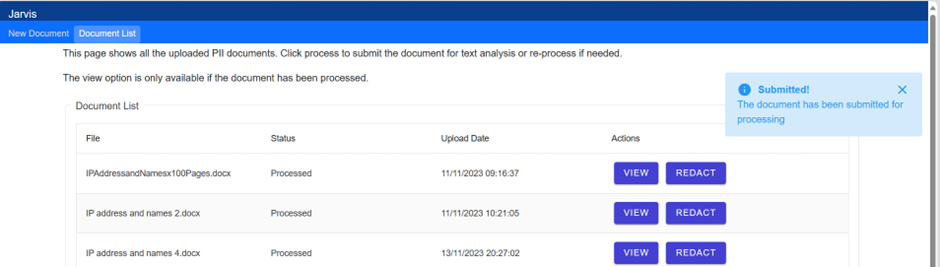
A notification is sent to the user to advise the document has been submitted for processing.
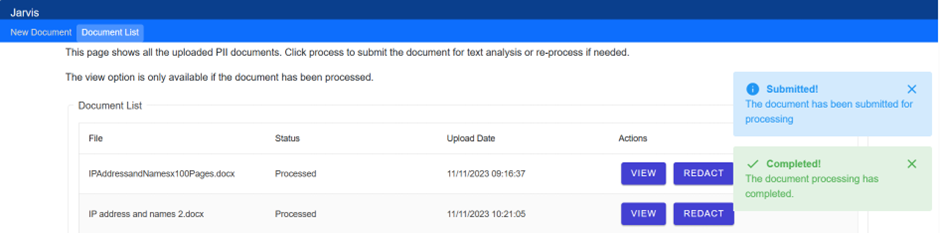
About 3 seconds later Jarvis has identified the PII and confidential data in the document and provides a notification to the user.
The user can then click “View” and then select which data needs to be redacted from the document.
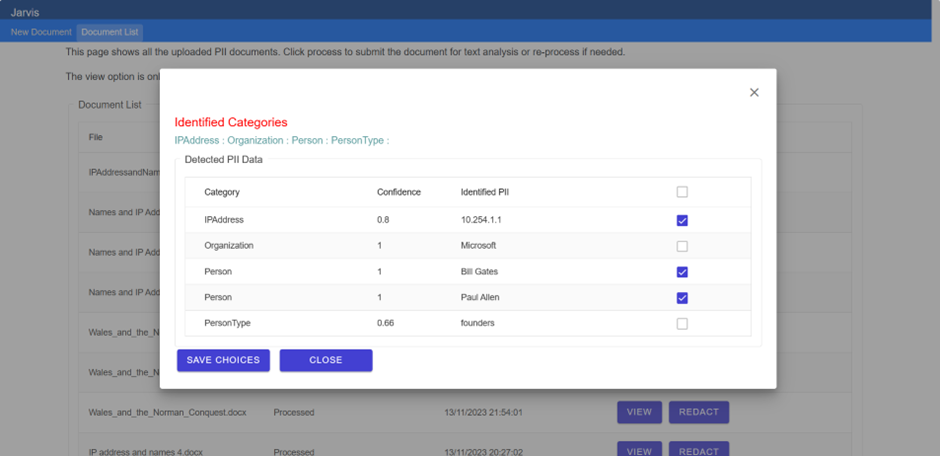
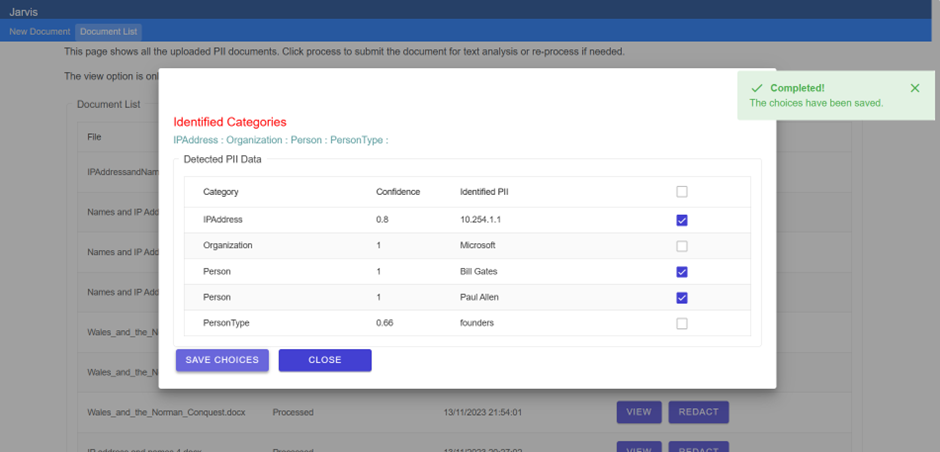
The user then clicks “Save choices”. This will save the collection of choices, the metadata, to Azure Cosmos DB.
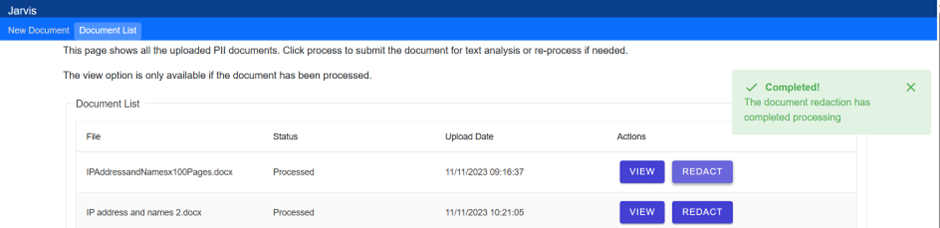
The user then clicks “Redact” and the user is notified of the submission and completion.
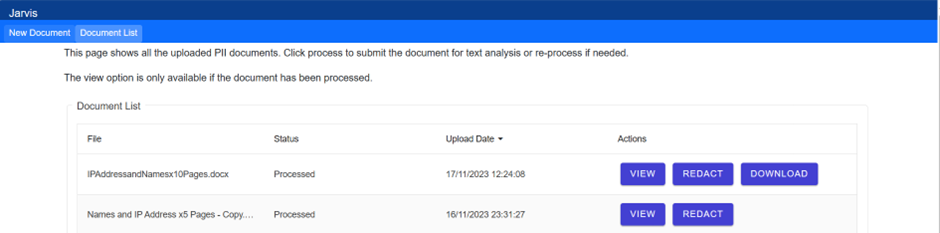
The user clicks the download button which is available after the redaction process has completed. The document is displayed with the information redacted using Microsoft Office apps (this can be downloaded to the machine directly also).

The process is going to be made simpler by a set of walkthroughs in the UI which will be a set of steps with instructions, including a preview document component.
Look out for the next update soon.

